Nest your design
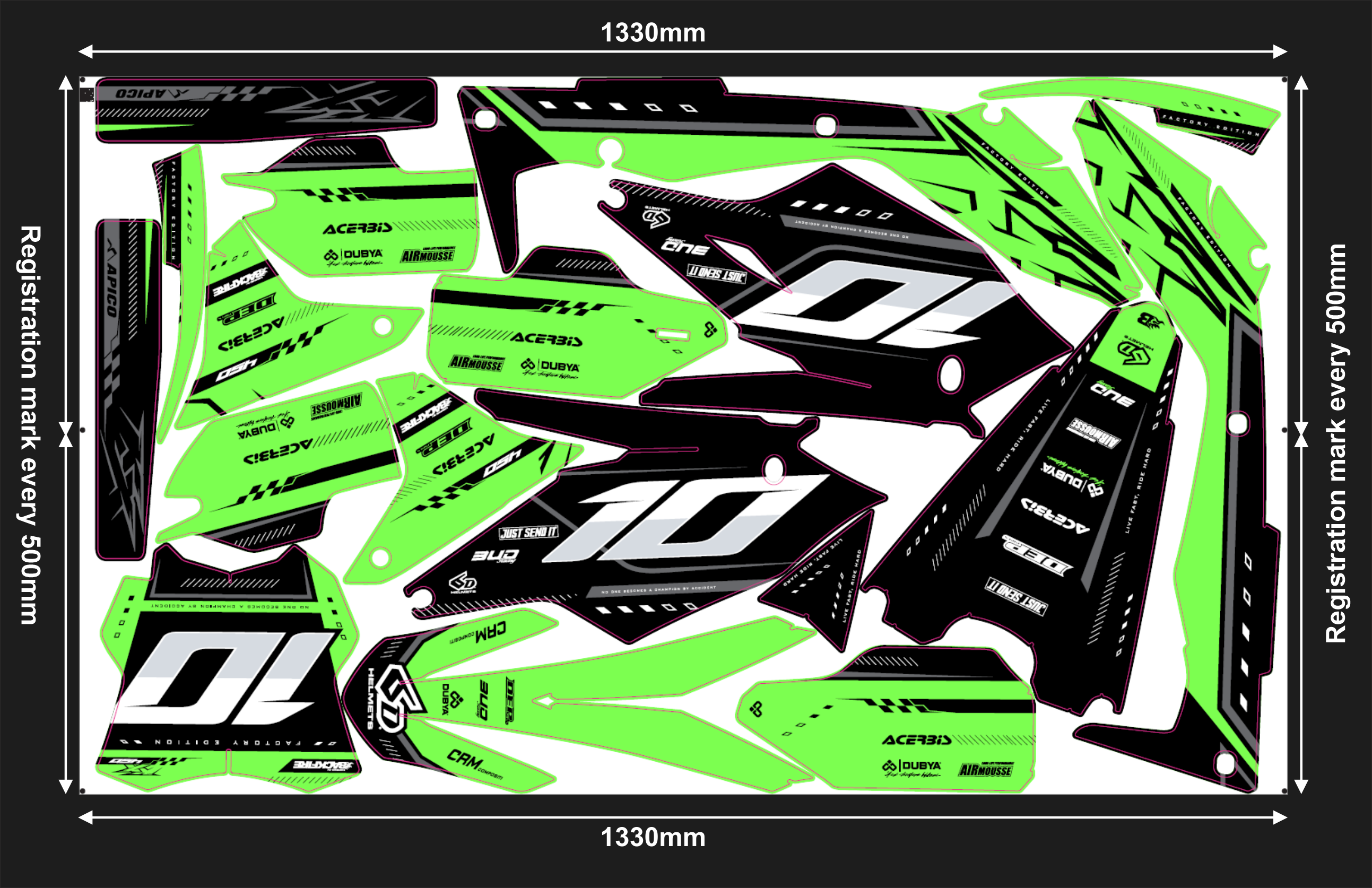
Nest your design to a width of 1330 mm (1480 mm for cast vinyl). Make sure to add 2-3 mm of bleed to your decals.
Add registration marks
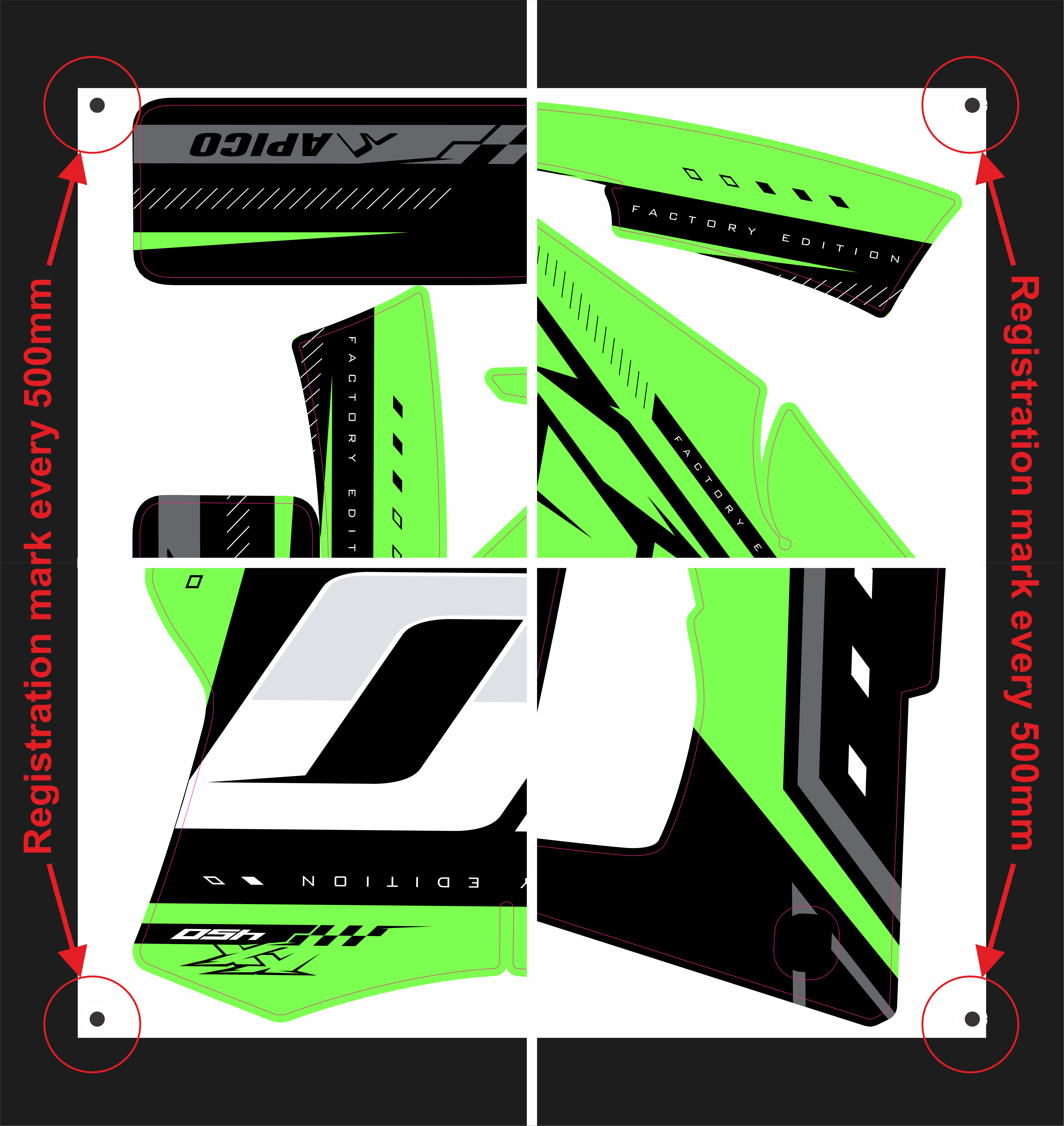
Add 6 mm black registration marks in all four corners of the artwork and every 50 cm vertically. You can add the marks manually by drawing the circles yourself or by using a macro.
Export your print file
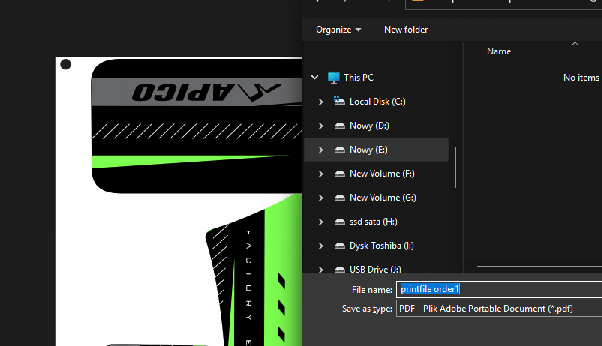
Export the design, including the registration marks, without the cut lines, and save it as a PDF - this will be your print file.
Export your cut file
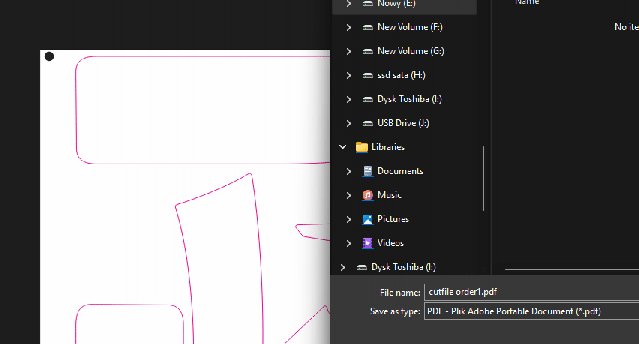
Export the cut lines, including the registration marks, without the design, and save them as a PDF - this will be your cut file.
Place the order
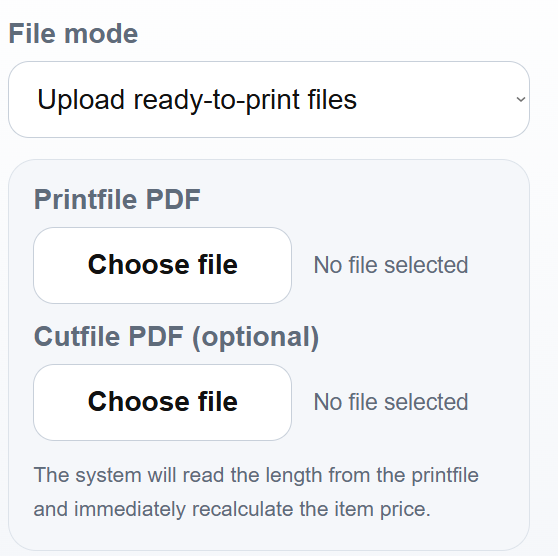
When placing your order, choose the file mode "Upload ready-to-print files" and send your files. You will receive the quote immediately, including shipping costs. After payment, your order will be processed.
To use our internal nesting engine, please contact the administrator first to discuss the technical details regarding the file format and to receive detailed instructions on how to prepare your files.
Order your graphics
Sign-up, upload your files, get a live-quote right away, and let's start printing!
Get Started